Reflections on Claude Code: Building a SQL Engine from Scratch
In ~30 minutes, Claude Code built a working SQL engine from scratch. This is my reflection on vibe coding with AI — what worked and what didn't.
As we step into 2025, I wanted to share my experience building a SQL engine with Claude Code.
I've been tinkering with AI coding assistants for a while now, and Claude Code stands out. What surprised me is the sheer quality of output — it can tackle audacious goals with great precision. Describe what you want, and watch it architect and implement complex systems in real-time.
This is the story of that experiment.
The Challenge
The idea was simple: What if I could query my CSV files like a database?
Sure, there are tools like DuckDB and DataFusion that already do this well. But I wanted to push Claude Code to its limits — could it build a working SQL engine from scratch? Not a wrapper around existing libraries, but an actual parser and execution engine.
This was about testing how accurate Claude Code is in reaching a logical end goal: a simple CLI-based SQL engine with a TUI.
The question: Could Claude Code pull this off in a single session?
The Prompt
I believe in minimal, well-defined requirements. Here's the exact prompt I gave Claude:
## Knowhere: CSV/Parquet SQL Explorer

Knowhere is a lightweight SQL engine for querying CSV and Parquet files via an interactive TUI.

### Core Requirements

**Functionality**
- ANSI SQL-compatible query engine for CSV/Parquet files
- Point to a single file (treated as one table) or a folder (each file becomes a table)
- Support JOINs across multiple files/tables
- Interactive TUI for writing and executing queries with results displayed inline

**Tech Stack**
- Rust
- Use existing libraries where sensible (e.g., Ratatui for TUI)

### Deliverables
1. CLI/TUI Application
2. Homebrew formula + curl install script
3. Sample CSV/Parquet files
4. Unit and integration tests
That's it. No detailed specifications. No hand-holding. Just the destination — Claude would figure out the path.
Claude's Game Plan
Within seconds, Claude came back with a comprehensive implementation plan. It had broken down the project into five phases:
- Core Infrastructure — Data types, CSV parser, SQL lexer
- Query Engine — Parser, planner, executor with all operators
- Parquet Support — Basic flat schemas and compression
- TUI — Query editor, results view, Vim keybindings
- Polish & Distribution — Tests, samples, installation scripts
Here's the project structure Claude proposed:
knowhere/
├── src/
│   ├── sql/
│   │   ├── lexer.rs         # SQL tokenizer
│   │   ├── parser.rs        # SQL AST parser
│   │   ├── ast.rs           # AST node definitions
│   │   ├── planner.rs       # Query planner
│   │   └── executor.rs      # Query execution engine
│   ├── storage/
│   │   ├── csv.rs           # CSV file reader
│   │   ├── parquet.rs       # Parquet file reader
│   │   └── table.rs         # In-memory table representation
│   ├── tui/
│   │   ├── app.rs           # TUI application state
│   │   ├── ui.rs            # UI rendering
│   │   └── input.rs         # Input handling
│   └── cli.rs               # CLI argument parsing
├── tests/
├── samples/
└── Formula/
It followed the typical path of a compiler — with all the nuances of AST, lexical parser, query planner, and executor.
Claude even asked smart clarifying questions before diving in:
Should I support subqueries? They add significant complexity to the parser and executor.
I said no. This was a fun project, after all. Claude acknowledged and moved on.
Watching the Magic Happen
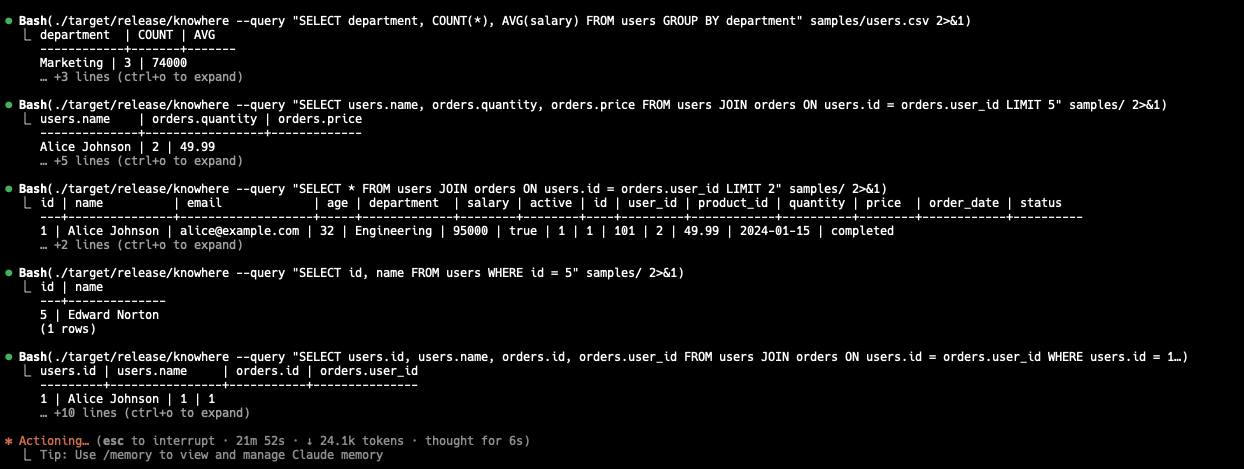
Here's what happened. Claude started writing code — and not just any code.
It built a custom Thrift decoder for Parquet files. It implemented a recursive descent parser for SQL. It created a columnar in-memory storage format.
The code was clean, idiomatic Rust. The modules were well-separated. The error handling was proper. Comments explained the non-obvious parts.
// Example: The Value enum Claude created for the type system
pub enum Value {
    Integer(i64),
    Float(f64),
    String(String),
    Boolean(bool),
    Null,
}
When tests failed (and they did, multiple times), Claude didn't just patch symptoms. It analyzed the root cause, fixed the underlying issue, and re-ran the test suite until everything passed.
The Final Product
After a few hours of back-and-forth refinement, I had a working SQL engine.
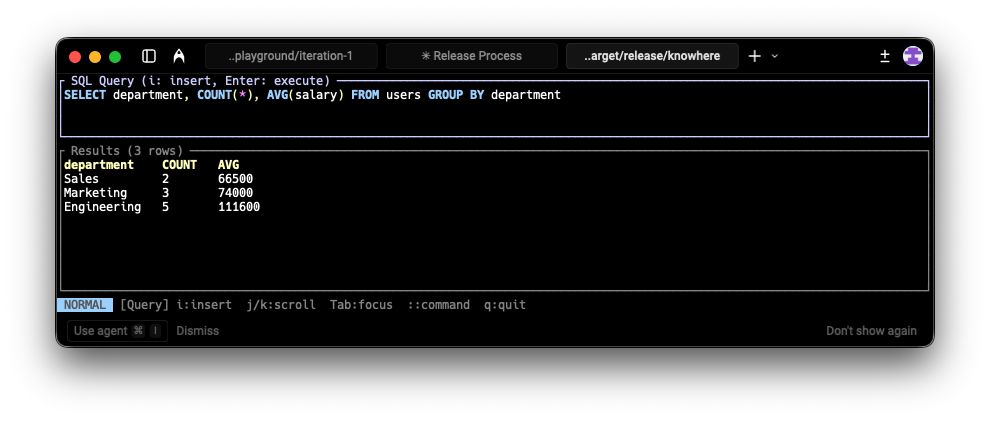
The TUI turned out well. Split-pane layout — query editor on top, results table on bottom. Vim-style keybindings (because of course). Syntax highlighting. Scrollable results with proper column alignment.
# Launch the TUI on a CSV file
knowhere data.csv

# Or point to a folder to query multiple files
knowhere ./data-folder/
I could write queries like:
SELECT u.name, COUNT(o.id) as order_count
FROM users u
JOIN orders o ON u.id = o.user_id
WHERE o.status = 'completed'
GROUP BY u.name
ORDER BY order_count DESC
LIMIT 10
And it just worked.
The Good: Where Claude Code Shone
1. True "From Scratch" Implementation
Claude didn't reach for easy abstractions. It built:
- A custom SQL lexer and parser
- A hand-rolled CSV reader (handles quotes, escapes, type inference)
- A Parquet decoder with Thrift deserialization
- A full query execution pipeline
Most AI assistants would've suggested "just use DataFusion."
2. Clean, Readable Architecture
The code is well-organized. The separation between sql/, storage/, and tui/ modules is logical. Claude used Rust's type system effectively — enums for AST nodes, proper error types, idiomatic pattern matching.
3. Self-Correcting Test Cycle
When tests failed, Claude:
- Analyzed the failure output
- Identified the bug
- Fixed the root cause (not just the symptom)
- Re-ran tests until green
This feedback loop happened automatically, multiple times. I barely had to intervene.
4. Polished TUI Out of the Box
The TUI worked well on the first iteration. The layout, keybindings, and visual hierarchy were all reasonable defaults.
The Not-So-Good: Where It Fell Short
1. Missing Multi-line Query Support
The TUI maps Enter directly to "execute query." Want to write a query across multiple lines? Too bad.
This seems like an obvious UX issue. Claude could have used Ctrl+Enter for execution or added an insert mode (like Vim's i command). A surprising miss for something this fundamental.
2. No ANSI SQL Compliance Testing
I explicitly mentioned "ANSI SQL-compatible" in my requirements. Claude didn't suggest using public SQL compliance test suites or standard benchmarks to validate the engine.
There are well-known test suites for this. Claude should have asked: "Should I validate against the SQLite test suite or TPC-H benchmark queries?"
3. Homebrew Formula Required Manual Steps
Claude created the Homebrew formula, but for brew tap to work, I needed a separate homebrew-<app> repository. After asking, Claude explained the process and eventually created a GitHub Actions workflow to automate SHA256 generation.
But it didn't proactively suggest this. I had to pull the solution out piece by piece.
4. Performance Blindspots
A database expert reviewing this code would point out:
- Eager loading: Files are loaded entirely into memory. A 10GB Parquet file will crash the app.
- Nested loop joins: O(N×M) complexity. Two 10k-row tables = 100 million comparisons.
- No predicate pushdown: WHERE clauses don't skip irrelevant Parquet row groups.
These are understandable shortcuts for an MVP, but Claude didn't flag them as known limitations or suggest upgrade paths.
The Verdict: Is Claude Code Production-Ready?
For MVP development? Absolutely.
In roughly 30 minutes, Claude Code took a 200-word requirements doc and produced a working SQL engine with:
- A custom SQL lexer and parser
- CSV and Parquet file readers
- A query planner and executor
- A polished TUI with Vim keybindings
- Unit and integration tests
- Installation scripts for Homebrew and curl
Could I have done this faster myself? Not a chance. Building just the SQL parser would typically take weeks of focused work.
For basic exploration of small datasets, this MVP works well. It's not optimized for millions of rows — the eager loading and nested loop joins will choke on large files — but as a starting point, it's solid. With some guidance, Claude Code can build something substantial in a limited amount of time.
For production systems? Not without supervision.
Claude makes architectural decisions that work for demos but break at scale. It doesn't proactively flag performance issues or suggest industry-standard testing approaches. You still need an experienced engineer in the loop.
What I Learned
Be precise about non-functional requirements. If you want ANSI compliance testing or streaming execution, ask for it explicitly.
Claude is great at breadth, weaker at depth. It can scaffold a complex system quickly, but won't optimize it without prompting.
The feedback loop is powerful. Claude's ability to run tests, analyze failures, and iterate is genuinely useful — probably its strongest feature.
Expect to ask follow-up questions. The first answer is rarely the complete answer. Be prepared to dig.
Break large projects into milestones. This experiment consumed 100% of my Pro plan session limit in one go. A smarter approach would be to split the implementation into smaller chunks — get the lexer working, then the parser, then the executor — rather than asking Claude to build everything at once.
Context management needs work. Claude Code's "compact" option for compressing conversation history could use improvement — important details sometimes get lost in long sessions.
Try It Yourself
Install via Homebrew:
brew tap saivarunk/knowhere
brew install knowhere
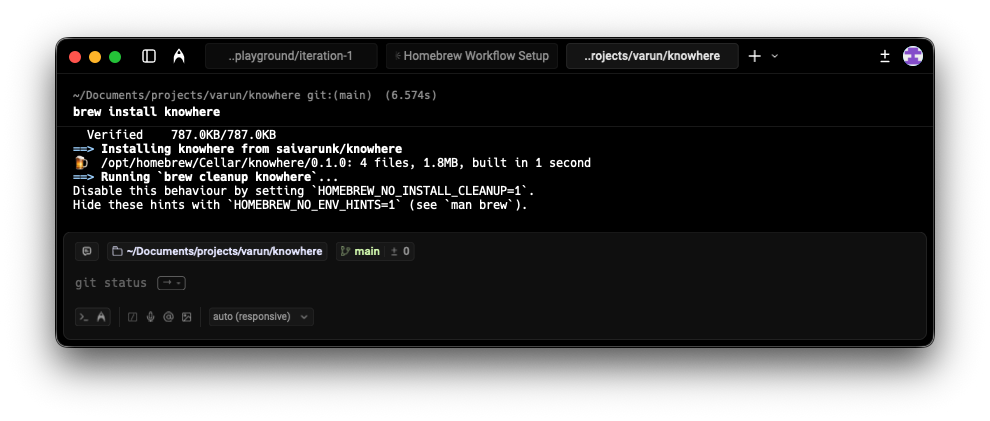
Or use the curl installer:
curl -fsSL https://raw.githubusercontent.com/saivarunk/knowhere/main/install.sh | bash
Then run:
knowhere your_data.csv
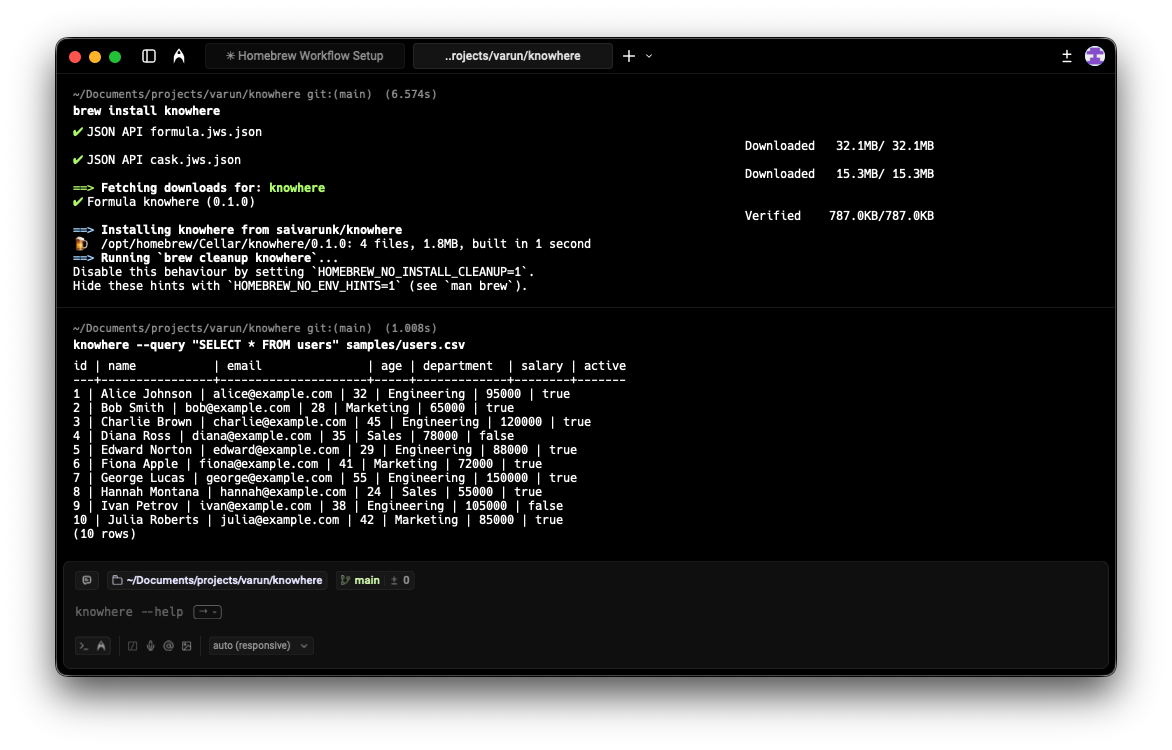
Check out the code: github.com/saivarunk/knowhere
Have you tried building something ambitious with an AI coding assistant? I'd love to hear what worked and what didn't. Reach out on LinkedIn with your stories.